You’re crouched in the dark, the world around you silent and invisible—except through your night vision monocular. Suddenly, the terrain snaps into sharp green-hued clarity, revealing every rock, trail, and movement. But if you don’t know how to use your device properly, that clarity can vanish fast. Whether you’re a hunter, security professional, or outdoor adventurer, mastering how to use a night vision monocular is essential for safety, efficiency, and success in low-light environments.
This guide delivers battle-tested techniques used by operators and hunters alike—covering everything from initial setup and focus to navigation, weapon integration, and maintenance. You’ll learn how to avoid common mistakes like tunnel vision, dropped units, and fogged lenses. Whether you’re using a high-end analog unit like the PVS-14 or a digital model like the Nightfox Prowl, this guide ensures you operate with confidence and precision.
By the end, you won’t just know how to turn it on—you’ll know how to move, scan, shoot, and survive in the dark like a pro.
Pre-Use Setup: Inspect, Power, and Secure
Before you flip the switch, proper preparation ensures your night vision monocular performs when it matters most.
Inspect for Damage and Functionality
Check every component under bright light:
– Lenses: Look for scratches, haze, or cracks.
– Housing: Ensure no dents or loose parts.
– Controls: Test power, focus, diopter, and IR switches.
– Battery compartment: Check for corrosion or bent contacts.
Pro Tip: A sticky power switch or cracked lens can lead to failure in the field—fix it before deployment.
Power It Correctly for Your Model
Power needs vary by type—get this wrong, and you risk damage or sudden shutdown.
For Analog Units (PVS-14)
- Use non-rechargeable lithium batteries only (AA or CR123).
- Rechargeables can leak or deliver inconsistent voltage, damaging internal circuits.
- Never mix internal and external power—remove internal batteries if using an external pack.
For Digital Units (Nightfox Prowl)
- Charge fully via USB-C before first use.
- Use a portable power bank for extended runtime.
- Monitor battery level on screen—watch for low-battery alerts.
Storage Rule: Always remove batteries before long-term storage to prevent corrosion.
Mount Securely and Prevent Drops
Hands-free use demands secure mounting—and a backup plan.
Helmet or Head Strap Setup
- Attach to G24, Wilcox, or Rhino dovetail mounts for stability.
- Position over dominant eye (right eye for right-handed shooters).
- Adjust strap tension so it doesn’t wobble or slip.
Prevent Drops with a Tether
- Use paracord, 70lb fishing line, or factory lanyard.
- Relocate lanyard if it interferes with power switch (common on PVS-14).
- Ensure breakaway point is accessible in case of snag.
Hard Lesson: One user dropped a $2,500 unit in a bathroom—tethering could have saved it.
Focus for Sharp Night Vision: Diopter and Objective Adjustment

Blurry images defeat the purpose of night vision. Proper focus is fast—and permanent once set.
Set Diopter Once for Your Eyesight
The ocular lens adjusts for your eyesight:
– Look at a detailed object (text, speck on wall).
– Turn the diopter ring until image snaps into sharp focus.
– Lock it—don’t readjust unless your vision changes.
Expert Move: Set this during daylight. Once dialed in, leave it.
Focus Objective Lens to Distance
The front lens sets range clarity:
– Start with infinity focus (stars or distant horizon).
– Fine-tune for 50–100 yards based on terrain.
– For close tasks (map reading), reduce focus distance.
Use Focus Caps for Quick Switching
Need to read a map fast? Focus caps save time:
– 100-con step caps shift focus to near range instantly.
– They also act as sacrificial lenses, protecting the objective.
– DIY Rapid Focus Tool:
– Modify a Butler Creek cap.
– Drill a small hole (heated 7.62mm neck works if no drill).
– Flip down for close work, flip up for distance.
User Hack: Stack screen protectors on lens—peel off dirty layers instead of cleaning.
Master Field Operation: Movement, Scanning, and Awareness
Using night vision isn’t just about seeing—it’s about moving, scanning, and staying aware.
Avoid Tunnel Vision and Stay Aware
New users often stare too long through the device:
– Scan with your head, not just your eyes.
– Use peripheral vision to catch movement at edges.
– Listen and smell—sound travels farther at night; feral hogs or campfires have distinct odors.
– Trust your gut—many operators detect threats before seeing them.
Warning: Staring causes disorientation and slows reaction time.
Move with Confidence in the Dark
Walking at night with one eye covered feels unnatural—but it’s manageable.
Walking Technique
- Don’t look at your feet—your body knows how to walk.
- Glance ahead 20+ yards, memorize terrain, then look away.
- Visualize foot placement before stepping.
- Test each step lightly before committing weight.
- Move slow and smooth—“slow is smooth, smooth is fast.”
Navigation Difficulty
- Flat or paved paths: No major issues.
- Rugged terrain (rocks, elevation): Challenging—dual tubes help.
- Adaptation time: Most users adjust within 3–4 outings.
User Quote: “Once you have true duals, you never go back.” — Dirtracer151
Drive with Night Vision (If Needed)
Possible—but risky in tight spaces:
– Use IR floodlight or laser to illuminate roads.
– Scan side to side—don’t fixate ahead.
– Practice in open areas first.
– Avoid prolonged use—depth perception is limited.
Scan Like a Pro for Maximum Coverage
Systematic scanning finds what others miss:
– Left to right, top to bottom—like reading a page.
– Focus on high-probability zones: doorways, tree lines, road edges.
– Use short eye movements—avoid staring.
– Combine with head turns for wider coverage.
Control Light and Gain Like a Tactical Operator
Light management separates novices from experts.
Use IR Illumination Wisely
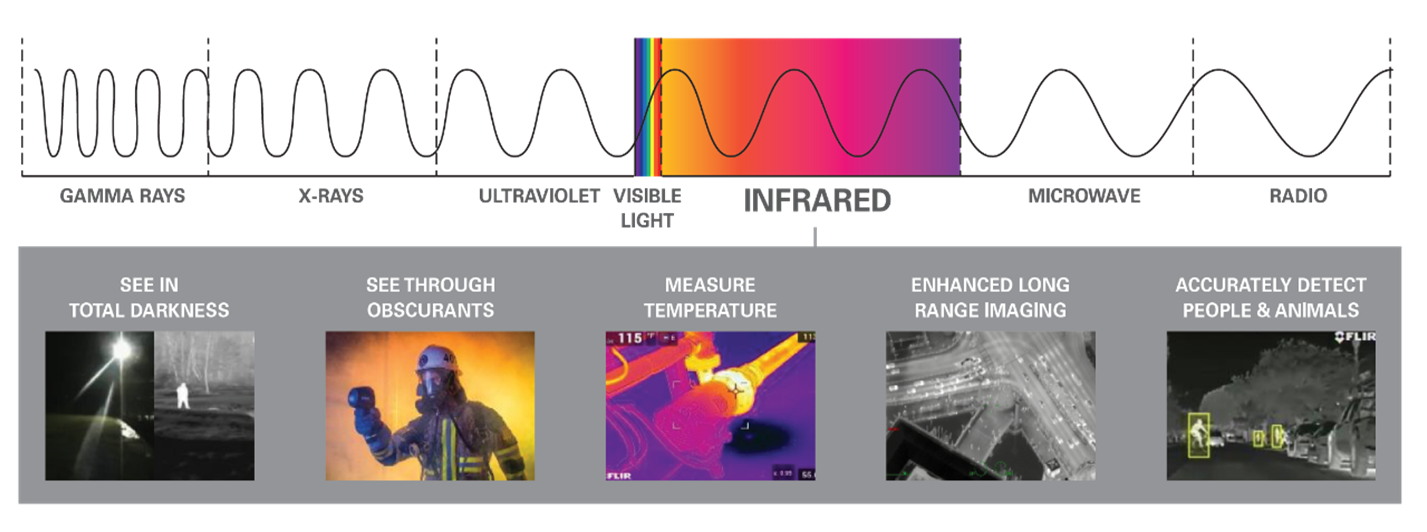
Most monoculars have built-in IR LEDs—choose the right wavelength.
| Wavelength | Visibility | Best Use |
|---|---|---|
| 850 nm | Faint red glow (visible to humans/animals) | Long range, better illumination |
| 940 nm | Invisible to naked eye | Covert ops, wildlife observation |
IR Modes (Nightfox Prowl Example)
- IR0: Auto IR activation
- IR1: 940 nm only (stealth)
- IR2: 850 nm only (range)
- IR1+2: Both
- IR Off: Use with external IR source
Pro Tip: In IR2 mode, internal LEDs disable when external IR is detected—prevents interference.
Adjust Gain for Clarity and Contrast
Gain controls image brightness and noise:
– Manual Gain: Reduce scintillation (white speckles) in dark areas.
– Auto Gain: Adjusts automatically—can overexpose in dynamic light.
– Best Practice: Use manual gain to maintain contrast and avoid bloom.
Tactical Move: Lower gain when facing bright lights (e.g., headlights) to prevent temporary blindness.
Integrate with Weapons and Gear for Tactical Use
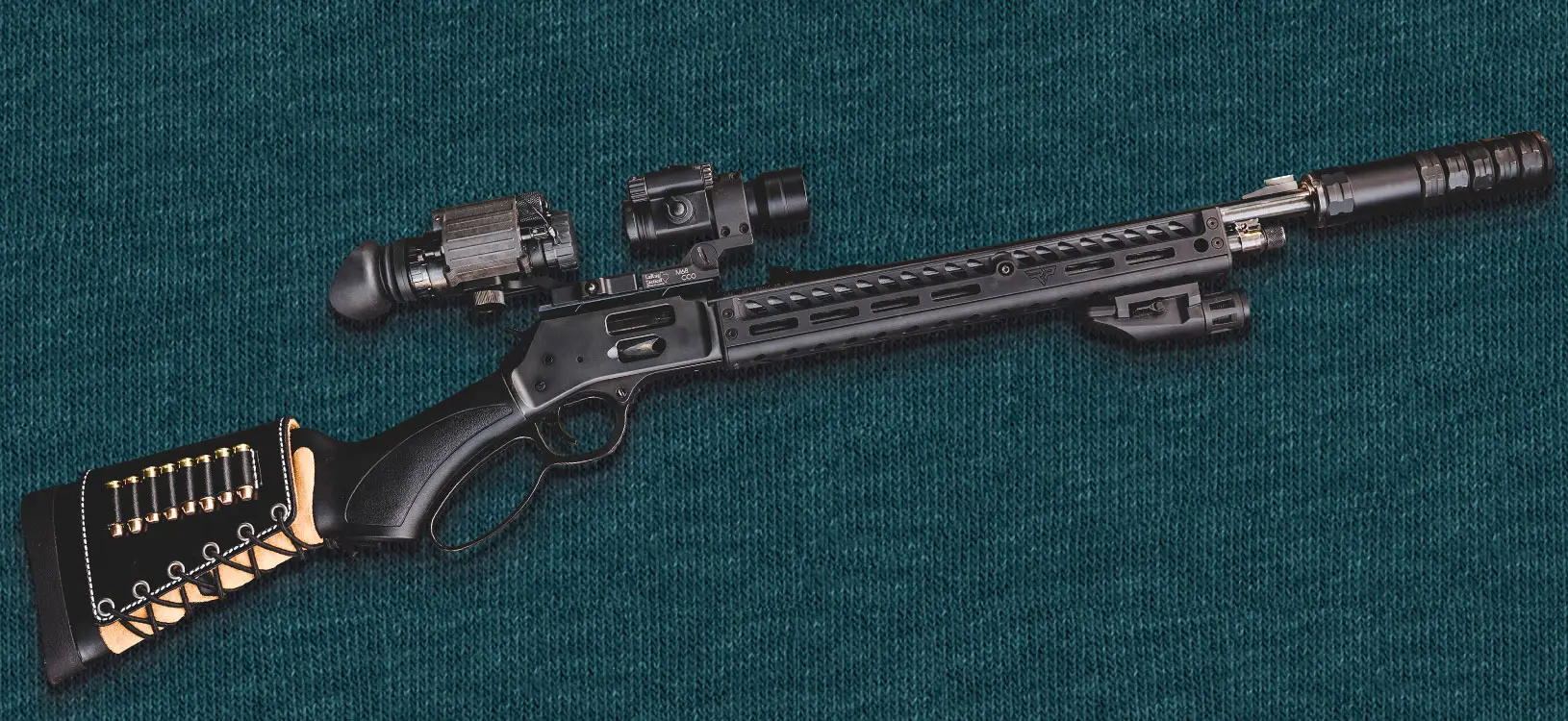
Monoculars aren’t typically weapon-mounted—but they work with IR lasers.
Zero Your IR Laser for Precision
Use co-witness method:
1. Ensure day optic is zeroed.
2. Look through day optic using night vision.
3. Aim at target (400–500 yards).
4. Adjust IR laser until it aligns with reticle.
5. Confirm with live fire.
Paper Target Zero (Dark Environment)
- Use IR chem light behind a 3/4” + sign cutout.
- Create glowing 1/2” aiming point.
- Fire one round, lock rifle in vice, adjust reticle to hole.
- Confirm with follow-up shots.
Never zero with pinhole cap in daylight—causes misalignment.
Manipulate Gear in the Dark Without Looking
Practice all actions before you need them:
– Reloading
– Clearing malfunctions
– Battery changes
Fifth Safety Rule
“If you can’t manipulate your firearm without looking in daylight, don’t do it at night.”
- Train battery changes in the dark—use a closet or bathroom.
- Build muscle memory during daylight drills.
Overcome Environmental Challenges: Fog, Light, and Weather
Weather and light conditions can cripple performance if unprepared.
Defeat Lens Fogging
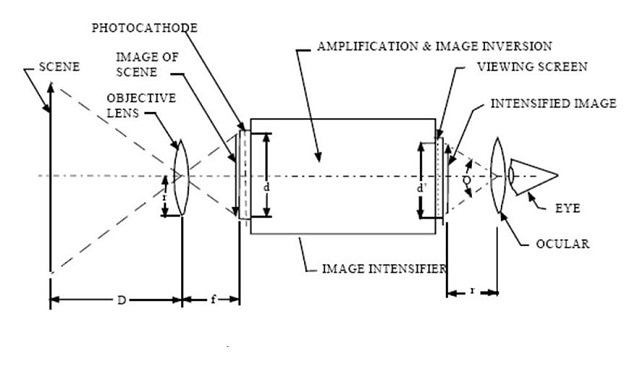
External Fog (On Lens)
Caused by breath or humidity:
– Remove eye cups—they trap warm air.
– Wear a face mask (e.g., Under Armour) to block breath.
– Tilt NOD slightly away from face.
– Anti-fog treatments:
– Shaving cream: Apply, wait 30 sec, wipe with microfiber.
– Dawn dish soap: One drop, buff off.
– Toothpaste (non-abrasive): Apply, wipe clean.
– Spit: Last resort (avoid if using smokeless tobacco).
Internal Fog (Inside Tube)
- Means nitrogen purge failed.
- Requires professional re-purging (Armasight, MOD Armory, etc.).
- DIY not recommended—risk of permanent damage.
Avoid Bright Light Damage
Night vision tubes are fragile:
– Never expose to sunlight or bright lights—even when off.
– Day caps don’t fully protect—store in light-proof case.
– Don’t turn on in daylight.
Use IR Pass Filter
- Blocks visible light, reduces bloom.
- Acts as sacrificial lens.
- Cost: ~$15 (30mm camera filter).
Use Digital Features: Record, Transfer, and Customize
Digital monoculars like the Nightfox Prowl offer advanced functions.
Record 1080p Video for Documentation
- Micro SD card slot: Insert pins up, push until click.
- Record: Short press button—red icon appears.
- Stop: Press again.
- File Format: AVI
Tip: Carry spare SD card and power bank.
Transfer and View Footage
- View clips: Press mode → scroll → OK → Play/Delete.
- Transfer to PC:
1. Connect via USB-C.
2. Open File Explorer.
3. Copy files from device folder. - Delete All: Use settings menu.
Adjust Display Settings
- Brightness: Short press power to cycle levels.
- Digital Zoom: Press zoom button three times.
- Focus: Adjust front lens (with or without cap).
- Diopter: Set for sharp image, then fine-tune eyepiece.
Navigate the Settings Menu
| Setting | Function |
|---|---|
| Night Filter | Switch black & white / green display |
| IR Settings | Choose IR1, IR2, both, or off |
| Autohide Icons | Hide after delay or keep visible |
| Format SD | Erase all (use carefully) |
| Power Save | Set auto-off timer |
| Date/Time | Enable timestamp on videos |
| Frame Rate | 30fps, 60fps |
| Flicker | LCD refresh (region-specific) |
| Factory Reset | Use reset pin near USB |
| Version | Check firmware |
Pro Tip: Enable timestamp for evidence or log review.
Maintain and Store Properly for Longevity
A well-maintained monocular lasts years—neglect destroys it fast.
Clean Lenses Safely
- Only use microfiber cloth.
- For grime: lens fluid + lens paper.
- Never use:
- Shirt sleeves
- Paper towels
- Alcohol or solvents
Analogy: “Wiping optics with your shirt is like tits on a fish.”
Store for Longevity
- Remove batteries.
- Keep in dry, cool, dark place.
- Use protective case with desiccant.
- Avoid heat, humidity, and magnetic fields.
Final Note: A night vision monocular is only as good as the user. With the right setup, focus, movement, and training, it becomes a force multiplier—turning darkness into advantage. Whether you’re hunting coyotes, securing property, or navigating rugged terrain, mastering how to use a night vision monocular ensures you see clearly, move safely, and act decisively—no matter how dark it gets.