Your range finder not working mid-round can derail an entire game of golf. You line up the shot, steady your stance, and squeeze the trigger, only to see nothing happen on the display. This frustrating scenario happens to many golfers, especially owners of popular models like the Bushnell V3. The good news is that most issues have simple, no-cost solutions you can try yourself. This guide walks you through proven troubleshooting steps covering power resets, battery checks, hardware inspection, warranty claims, and voice activation fixes. By the end, you’ll know exactly how to diagnose and resolve the most common range finder problems.
Perform a Power Reset on Your Range Finder

When a range finder not working shows no signs of life, start with a complete power refresh. This clears residual electrical charge that may be locking up the internal system.
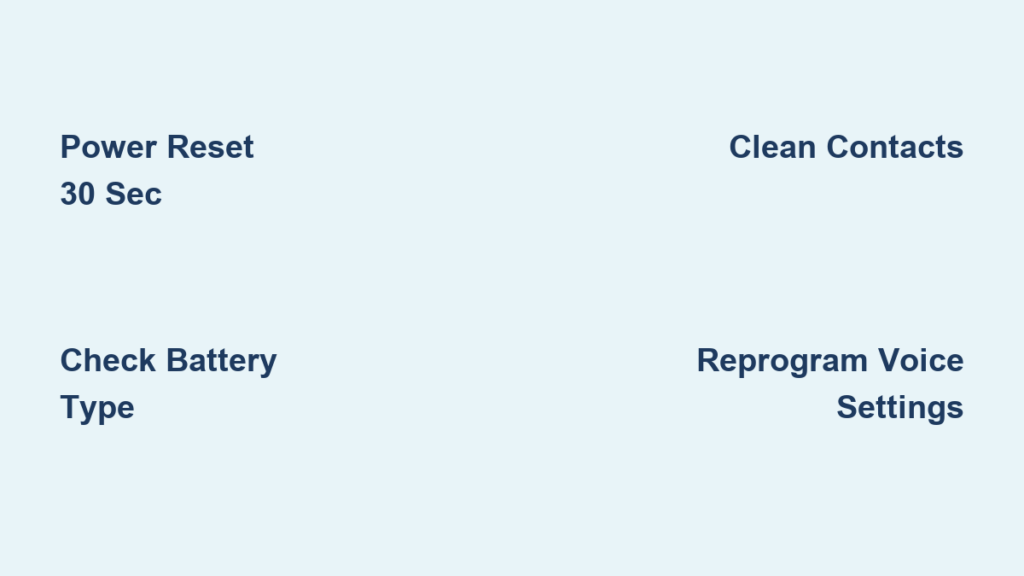
Hold the Power Button for 30 Seconds
Even with a fresh battery installed, leftover charge can prevent startup. Follow these steps carefully:
- Remove the CR2 battery from the compartment.
- Press and hold the Power/Fire button continuously for 30 seconds.
- Release the button to discharge internal capacitors.
- Reinsert the battery with the positive (+) end going in first.
- Press the power button to restart the device.
This reset fixes many cases where the device appears completely dead. If the unit powers on afterward, the issue was likely an internal lockup rather than a hardware failure.
Check Battery Orientation and Type
Using the wrong battery or inserting it backward prevents proper operation. Confirm these details before moving on:
- Verify you are using a 3-volt CR2 battery.
- Insert the positive terminal first into the compartment.
- Avoid rechargeable CR2 batteries unless your manual specifies them.
- Test with a new, name-brand battery for reliable voltage.
If the rangefinder still does not respond, move on to hardware and warranty checks.
Inspect Hardware Components

Sometimes the issue is not software related. It is a failing physical component. A systematic inspection helps pinpoint what is broken.
Examine Battery Compartment Contacts
Corrosion or debris on metal contacts blocks power delivery. Use a flashlight and look for:
- Rust or discoloration on the contact points
- White powder residue from battery leakage
- Bent or recessed metal strips
Clean gently with a cotton swab dipped in isopropyl alcohol. Let everything dry completely before reinserting the battery. If contacts are damaged, contact the manufacturer rather than attempting repairs with metal tools.
Test for Physical Damage
Drops or moisture exposure can disable sensitive electronics. Look for these warning signs:
- Cracked housing around the lens or buttons
- Fog or condensation inside the lens
- Sticky or unresponsive power button
If you spot any of these issues, the unit may need professional repair or full replacement.
Check Warranty Coverage and Support Options

If basic fixes fail, your rangefinder may be covered under warranty. This is especially likely if the device is new or recently purchased.
Confirm Warranty Eligibility
The Bushnell V3 comes with a 2-year limited warranty covering defects in materials and workmanship. To verify your coverage:
- Locate your purchase receipt or proof of purchase.
- Visit the manufacturer’s official support page.
- Enter your model and serial number to check status.
- If within 2 years, request repair or replacement at no cost.
Even gifted devices usually qualify for warranty support with proof of purchase from the original buyer.
Contact Customer Support
If online tools do not resolve your issue, reach out directly. Call the support line and describe the steps you have already tried, including the reset and battery check. Request troubleshooting guidance or a return authorization number. Many users report quick replacements when devices fail outside of user control.
Resolve Voice Activation Problems
A range finder not working properly may still power on but fail to announce distances. This is a common issue reported by users like Louise A. West, whose speaker plays music but does not announce yardage.
Reprogram Voice Settings
When the speaker works for other audio but not for distance announcements, the issue is likely a setting problem. Try these steps:
- Open the connected smartphone app.
- Navigate to Device Settings, then Voice Output.
- Toggle voice off, wait 10 seconds, then toggle back on.
- Select “Test Voice” if the option appears.
- Re-pair the device with your phone via Bluetooth.
Voice prompts sometimes get disabled after a firmware hiccup or accidental setting change.
Reset the App and Reconnect
App glitches often disrupt voice features even when the hardware works fine. Follow this process:
- Uninstall the rangefinder app completely from your phone.
- Reboot your phone to clear background processes.
- Reinstall the latest version from the App Store or Google Play.
- Pair the rangefinder again following the setup instructions.
This clears corrupted data that may be blocking voice commands.
Update Firmware
Manufacturers release updates to fix known bugs and improve performance. Check the app for firmware update options and keep the rangefinder connected during the process. Do not interrupt the update, as failure can render the device unusable. An outdated firmware version could explain missing voice feedback despite working speakers.
Prevent Future Range Finder Issues
Avoid recurring problems with simple maintenance habits. A few minutes of care after each round extends your device’s lifespan significantly.
Power Down After Use
Leaving the device on drains the battery and increases crash risk. Always press and hold the power button until the unit fully shuts down. Store it in a dry, temperature-controlled place. Remove the battery if you plan to store it for more than a month.
Clean Regularly
Dust and moisture degrade performance over time. Wipe the lens with a microfiber cloth after each round. Use a dry brush to remove debris from seams and buttons. Never submerge the device or wash it with water.
Carry a Backup Battery
A spare CR2 battery can save your round when failure strikes unexpectedly. Keep one in your golf bag and test it monthly to ensure freshness. Label it clearly so you can find it quickly when needed.
When Replacement Makes More Sense
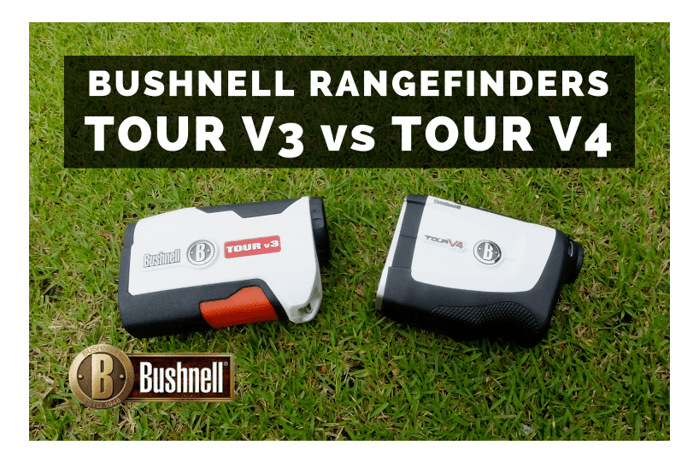
If all troubleshooting fails, replacement may be your best option. Modern rangefinders are precision instruments, and internal damage often costs more to repair than to replace.
Signs Your Range Finder Is Beyond Repair
Watch for these indicators that signal the end of your device’s useful life:
- No response after reset and fresh battery installation
- Persistent error messages on the display screen
- Visible moisture damage inside the lens
- Out of warranty with no support options available
Internal laser or circuit damage usually requires factory-level repair, which often exceeds the cost of a new unit.
Consider Upgrading Your Device
If your model is older than 3 years, consider upgrading to a newer version. Modern rangefinders offer improved battery life, better optics, slope compensation, and enhanced voice and app integration. Newer models often fix known bugs from earlier versions and provide better overall accuracy.
Frequently Asked Questions About Range Finder Not Working
Why won’t my range finder turn on after replacing the battery?
A fresh battery alone does not always solve the problem. Residual electrical charge can lock up the system even with new power installed. Remove the battery, hold the Power/Fire button for 30 seconds, then reinstall the battery with the positive end first. This power reset clears the lockup in most cases.
How long should I hold the power button to reset my range finder?
Hold the Power/Fire button for a full 30 seconds without releasing. This duration ensures all internal capacitors fully discharge. Shorter holds may not clear the residual charge causing the lockup.
What type of battery does a Bushnell V3 rangefinder use?
The Bushnell V3 uses a 3-volt CR2 battery. Always insert the positive (+) terminal first into the compartment. Avoid rechargeable CR2 batteries unless your manual specifically approves them, as voltage differences can cause malfunctions.
Is there a warranty on the Bushnell V3 rangefinder?
Yes, the Bushnell V3 includes a 2-year limited warranty covering defects in materials and workmanship. Keep your purchase receipt as proof of coverage. Contact Bushnell support to file a claim if your device fails within this period.
Why does my rangefinder speaker play music but not announce distances?
This symptom points to a software or setting issue rather than hardware failure. The speaker works, but voice output is disabled. Open the companion app, navigate to Voice Output settings, toggle voice off and back on, then test the feature. Re-pairing the device via Bluetooth often resolves this issue.
How do I update firmware on my rangefinder?
Open the companion app and look for firmware update options under device settings. Keep the rangefinder powered on and connected during the entire update process. Never interrupt a firmware update, as this can permanently damage the device.
Key Takeaways for Fixing a Range Finder Not Working
A range finder not working does not always mean it is broken beyond repair. Start with a power reset and battery check, as these two steps solve the majority of cases. If the speaker plays music but voice announcements fail, reprogram the settings or reset the companion app. Always verify warranty status before paying for repairs, since the Bushnell V3 includes a 2-year limited warranty. With proper care, including regular cleaning and proper storage, your rangefinder can deliver accurate distances for years. Grab a fresh CR2 battery, perform the 30-second reset, and get back on the course with confidence in your equipment.