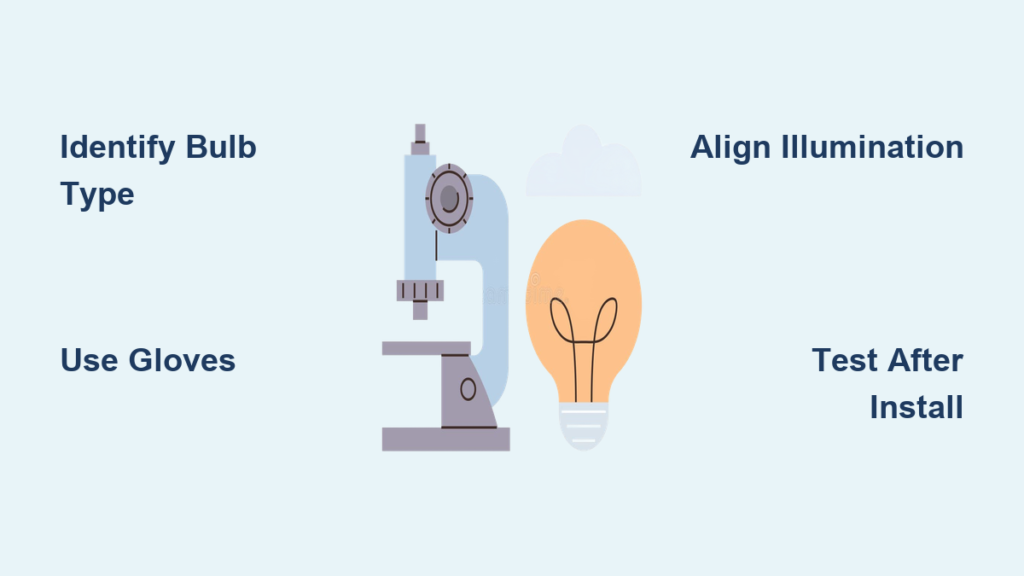
A sudden loss of illumination during a critical observation can bring your microscopy work to a screeching halt. Whether you’re a student, researcher, or clinician, knowing how to replace a microscope bulb correctly is essential for uninterrupted, high-quality imaging. Most modern microscopes feature user-replaceable bulbs, but older or specialized models—like the Nachet NS 200—may require more technical intervention due to integrated or soldered components. This comprehensive guide walks you through every step: from identifying the correct bulb and safely removing the old one, to installing a new bulb, aligning the light, and even upgrading to LED for long-term reliability. You’ll also learn how to avoid common mistakes, extend bulb life, and dispose of used bulbs responsibly.
Let’s dive into the precise steps and best practices to keep your microscope shining bright.
Identify the Correct Microscope Bulb Type
Using the wrong bulb can lead to poor illumination, overheating, or even permanent damage to your microscope. Always begin by confirming the exact specifications of your instrument’s light source.
Check Manufacturer Specifications
Locate the user manual, microscope label, or online product page to verify:
– Voltage (e.g., 6V, 12V)
– Wattage (e.g., 15W, 20W)
– Base type (e.g., G4, GY6.35, bipin)
– Physical size (e.g., T3.25 capsule)
For example, the Nachet NS 200 commonly uses a 15W halogen bulb with a G4 base, though variations exist. If the original bulb is still intact, remove it carefully and inspect the markings on the glass or metal base.
Pro Tip: Take a photo of the old bulb with a ruler for size reference before disposal.
Where to Buy Replacement Bulbs
Purchase from trusted sources to ensure compatibility and quality:
– OEM suppliers: ZEISS, Leica, Olympus, and Nikon offer original bulbs with guaranteed fit.
– Specialty vendors:
– Bulbman Inc. – Ideal for vintage or discontinued microscopes.
– Edmund Optics and Thorlabs – Carry halogen, LED, and custom illumination modules.
– Search strategy: Use “microscope model + bulb” (e.g., “Olympus CX31 lamp”) for faster, accurate results.
Best Practice: Keep a labeled spare bulb in your lab drawer. Unexpected failures often occur during exams or time-sensitive research.
Power Down and Allow the System to Cool
Never rush into the lamp housing—safety is paramount.
Turn Off and Unplug the Microscope
- Switch off the power using the main control.
- Unplug the unit from the wall outlet to eliminate electrical hazards.
Wait at Least 15 Minutes to Cool
- Halogen bulbs operate above 200°C—touching them too soon can cause severe burns.
- Even if the bulb is dead, residual heat from the housing poses a risk.
Critical Warning: Never look directly into the light path after powering on. Intense illumination can permanently damage your retina.
Gather Tools and Prepare Your Workspace
A clean, organized setup prevents contamination and damage.
Essential Tools and Supplies
| Item | Purpose |
|---|---|
| Nitrile gloves | Prevent oil transfer to halogen bulbs |
| Safety goggles | Protect eyes from glass shards |
| Plastic tweezers or bulb handler | Avoid touching glass; insert/remove safely |
| Small screwdriver (Phillips or flathead) | Open access panel if needed |
| Lint-free cloth or soft brush | Clean socket area gently |
Note: If no bulb tool is available, use clean, non-metallic tweezers. Metal tools can scratch contacts or cause shorts.
Work Environment Best Practices
- Work in a dust-free area to protect optics.
- Cover the stage with a clean cloth to prevent scratches.
- Replace the dust cover immediately after servicing.
Access the Lamp Housing Safely
The location and method vary by model, but most upright microscopes house the bulb beneath the stage.
Common Access Locations
- Base-mounted panel: Look for a removable door or sliding drawer on the microscope’s base.
- Labeled housing: Often marked with a “lamp” icon or warning symbol.
Model-Specific Access Methods
- ZEISS and Olympus: Pull the lamp module out like a drawer.
- Nikon and Leica: May require loosening 1–2 screws.
- Nachet NS 200: Open the bottom access panel to reach the internal assembly.
Visual Clue: A shiny reflector behind the socket confirms you’ve found the right compartment.
Remove the Old Bulb Without Damage
Handle with care—especially if the bulb has failed catastrophically.
Use a Plastic Bulb Handler
- Grip the bulb gently with non-metallic tweezers or a dedicated tool.
- Pull straight out—do not twist or wiggle, as this can damage socket contacts.
Inspect the Removed Bulb and Socket
Check for:
– Blackened glass – Normal aging in halogen bulbs
– Broken filament – Confirms burnout
– Cracked or melted envelope – Indicates overheating or voltage issues
– Corrosion or debris – Clean with a soft brush or compressed air (use sparingly)
Warning: If the bulb exploded, inspect the reflector and housing for glass fragments. Remove all debris before installing a new bulb.
Install the New Microscope Bulb Correctly
Precision matters—improper installation can lead to poor contact or early failure.
Avoid Skin Contact with Halogen Bulbs
- Always wear gloves when handling halogen bulbs.
- Skin oils create hot spots on the quartz envelope, leading to premature burnout or explosion.
Insert the Bulb Gently and Securely
- Align the pins or base with the socket.
- Press straight in until fully seated—do not force.
- Ensure the bulb is straight and stable.
Critical Note: For soldered assemblies (like in the Nachet NS 200), skip to the repair section below.
Reassemble the Lamp Housing Properly
A secure closure ensures safety and consistent performance.
Close and Secure the Housing
- Slide the lamp tray back in until it clicks.
- Replace screws and tighten gently—over-tightening can strip threads.
- Ensure no wires are pinched or trapped.
Check: The housing should close flush with no gaps or resistance.
Test and Align the Illumination System
Power up and optimize for clarity and even lighting.
Initial Power-On Test
- Plug in and turn on the microscope.
- Confirm the light turns on and shines evenly across the field.
If no light appears:
– ✅ Check power connection
– ✅ Verify bulb is fully seated
– ✅ Inspect for loose wires
– ✅ Test with another known-working bulb
Perform Köhler Illumination Alignment
Maximize image contrast and eliminate glare:
1. Place a stained slide on the stage and focus.
2. Close the field diaphragm until its edges are visible.
3. Adjust the condenser height until the diaphragm image is sharp.
4. Center the image using condenser centering screws.
5. Open the diaphragm just beyond the field of view.
Result: Uniform, glare-free illumination ideal for detailed observation.
Handle Soldered or Integrated Bulb Assemblies
Some older models don’t support plug-and-play replacement.
Nachet NS 200 and Similar Vintage Models
- The bulb is soldered directly to internal wires.
- No standard socket—replacement requires electrical modification.
Repair and Upgrade Options
Desolder and Replace the Bulb (DIY)
- Requires intermediate soldering skills.
- Steps:
1. Desolder the two leads from the old bulb.
2. Solder a compatible 15W 12V G4 halogen capsule with wire leads.
3. Mechanically secure the bulb to prevent vibration damage.
4. Insulate connections with heat-shrink tubing. - Risks: Excess heat can damage nearby components.
Replace the Entire Lamp Module
- Search for a complete lamp housing assembly with reflector and wiring.
- More reliable and safer—ideal for shared or clinical environments.
Upgrade to LED (Recommended for Long-Term Use)
- Retrofit with an LED module for:
- Up to 50,000 hours of life
- Minimal heat output
- Stable brightness
- Requirements:
- Match voltage (use a driver if needed)
- Ensure even field illumination
- Add a heatsink if space allows
Caution: Modifications may void warranties or affect resale value. Document all changes.
Dispose of Used Bulbs Responsibly
Follow safe disposal practices to protect people and the environment.
Halogen and Incandescent Bulbs
- Not classified as hazardous waste in most regions.
- Wrap in paper or place in original packaging before trashing.
- Prevents injury from broken glass.
LED Bulbs
- Contain electronic components.
- Recycle through e-waste programs or lab supply vendors.
Institutional Policy: Hospitals and labs may require special handling. Always check local regulations.
Extend Bulb Life with Smart Practices
Maximize performance and reduce replacement frequency.
Best Maintenance Habits
- Turn off the light when not in use—halogen bulbs degrade faster with continuous operation.
- Avoid frequent on/off cycles—each power surge stresses the filament.
- Use lower intensity when possible—many microscopes have adjustable brightness.
- Use a voltage regulator in areas with unstable power.
| Bulb Type | Avg. Lifespan | Heat Output | Handling Notes |
|---|---|---|---|
| Incandescent | 50–100 hrs | High | Avoid; obsolete |
| Halogen | 100–200 hrs | Very High | Never touch glass |
| LED | 25,000–50,000 hrs | Low | Ideal for retrofits |
Pro Insight: Many labs replace halogen bulbs proactively—every 150 hours—to maintain consistent imaging.
Avoid Common Replacement Mistakes
Even experienced users make preventable errors.
Frequent Errors to Avoid
- Touching halogen bulbs with bare hands → Causes early failure.
- Forcing the bulb into the socket → Damages contacts.
- Using incorrect wattage or voltage → Risk of overheating.
- Skipping Köhler alignment → Results in poor image quality.
Troubleshooting Checklist
If the new bulb doesn’t work:
– ✅ Check power connection
– ✅ Verify correct polarity (for DC systems)
– ✅ Inspect for loose wires or poor seating
– ✅ Test outlet and power supply
Pro Tip: Train all users in shared labs on proper replacement and alignment.
Keep a Microscope Service Log
Track maintenance for accountability and performance.
Record These Details
- Date of replacement
- Bulb type and model
- Hours of use
- Issues encountered
- Alignment performed
Bonus: Include photos of the lamp housing for future reference.
Final Note: Replacing a microscope bulb is a simple yet vital task that keeps your instrument performing at its best. Whether you’re working with a modern halogen system or a vintage model like the Nachet NS 200, following the correct procedure ensures safety, clarity, and longevity. Always use the right bulb, avoid skin contact, and align the light after installation. For older units, consider LED upgrades or full assembly replacements for long-term reliability. When in doubt, consult the manual or contact a qualified technician.