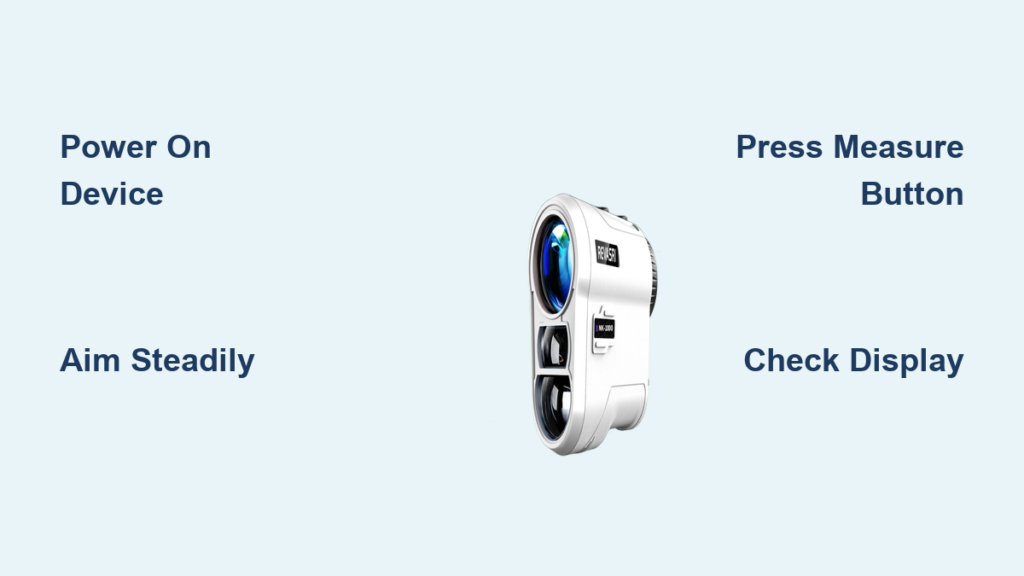
You just pulled your new Revasri range finder out of the box and want to start measuring distances right away. Whether you play golf, hunt, or work outdoors, learning how to use Revasri range finder properly is the key to getting accurate readings every time. These compact laser devices deliver fast measurements within one yard of accuracy, but small mistakes in technique can throw off your results. This guide breaks down every step so you can operate your device with confidence from the very first use.
Operating a Revasri range finder is simple once you understand the basics. A steady hand, the right mode setting, and proper target selection all play a role in getting reliable distance readings. In the next few minutes, you will learn how to power on your device, aim correctly, switch between modes, and troubleshoot common issues. By the end, you will be ready to measure distances like a pro.
Power On and Prepare Your Revasri Range Finder
Install the Battery the Right Way
Locate the battery compartment on your Revasri range finder. Most models use a CR2 battery, though some use AAA batteries. Match the positive and negative symbols inside the compartment before inserting the battery. Close the cover firmly so the device does not lose power during use.
Turn On the Device
Press and hold the power button until the screen lights up. You will see a startup logo or display text appear. Give the device two to three seconds to fully initialize before you begin measuring.
Confirm the Display Is Clear
Look through the eyepiece and check that all icons appear sharp and visible. A dim or flickering screen usually means low battery. Replace the battery right away to keep your readings consistent, especially in cold weather.
Aim and Lock Onto Your Target

Stabilize the Device with Two Hands
Hold the range finder with both hands and rest it gently against your forehead for extra stability. Tuck your elbows close to your body to reduce shake. Even small movements can cause inaccurate readings at longer distances.
Find Your Target Through the Viewfinder
Look through the eyepiece and locate the object you want to measure. Choose a clear, visible target such as a flagstick, tree, or building. Avoid targets blocked by branches, fog, or bright glare, since these can weaken the laser signal.
Center the Reticle on the Target
Use the crosshair inside the viewfinder to aim precisely at your target. Center it on the exact spot you want to measure, such as the base of a tree or the flag on a golf green. Stay away from thin or reflective surfaces like wires or glass, which can confuse the laser.
Fire the Laser and Capture the Distance

Press and Hold the Measure Button
Keep the reticle centered on your target and press the measure button, also called the fire button. The device sends out a laser beam that travels to the target and bounces back to the sensor.
Wait for the Distance Reading
Within one second, the distance will appear on the display in either yards or meters. A beep or icon will confirm a successful measurement. If no number appears, adjust your aim slightly and try again.
Read the Display Correctly
The main number on the screen shows the distance to your target. Other icons may also appear, including:
- S (Slope): Shows slope-adjusted distance when this feature is on
- HOLD: Confirms the measurement is locked
- Battery indicator: Warns you when power is low
- Mode icon: Displays the current mode such as Golf, Hunting, or Scan
Adjust Settings for Maximum Accuracy

Switch Between Yards and Meters
Press the mode or unit button to toggle between yards and meters. Golfers usually prefer yards, while hunters and surveyors often use meters. The change happens instantly.
Turn Slope Compensation On or Off
If your Revasri model includes slope adjustment, press the slope button to enable or disable it. Slope mode adjusts the distance based on elevation changes. Keep in mind that slope mode is not allowed in most USGA-sanctioned tournaments.
Choose the Right Target Priority
Many Revasri models let you pick between two target priority modes:
- First Target Priority: Locks onto the closest object, perfect for golf when shooting through trees
- Distant Target Priority: Ignores nearby objects, ideal for hunting over bushes or brush
Press the mode button until the correct icon shows up on screen.
Use Scan Mode for Multiple Targets
Activate the Scan Function
Press and hold the measure button to enter scan mode. As you pan across a landscape, the device will refresh the distance reading continuously. This is perfect for scanning multiple targets on a golf course or surveying terrain.
Track Distances in Real Time
Move the range finder slowly from left to right. The display will update every half second with new measurements. This helps you map out hazards, bunkers, and elevation changes quickly.
Exit Scan Mode When Done
Release the button to stop scanning. Switch back to single-measurement mode when you need precise readings, since scan mode can sometimes pick up unintended objects.
Care for Your Range Finder Properly
Clean the Lenses After Every Use
Wipe the objective and eyepiece lenses with a soft microfiber cloth. Avoid paper towels or clothing, which can scratch the lens. For stubborn smudges, lightly dampen the cloth with lens cleaning solution.
Store in a Protective Case
Keep your Revasri range finder in its included hard case when not in use. This protects it from dust, moisture, and accidental drops. Never leave it in a hot car or damp environment.
Avoid Sudden Temperature Changes
Rapid temperature shifts can cause internal fogging. If you move the device from cold to warm conditions, let it sit in its case for 10 to 15 minutes before turning it on.
Troubleshoot Common Revasri Range Finder Problems
The Display Does Not Turn On
Check that the battery is installed correctly and has enough charge. Try a fresh battery if needed. Make sure the battery compartment is dry and free of moisture. Contact customer support if the issue continues.
Distance Readings Are Inconsistent
Make sure you are aiming at a solid, non-reflective surface. Avoid glass, water, and thin branches. Hold the device steady and press the button fully. Power the device off and on to reset it.
The Laser Will Not Lock On
Clean the lens and remove any obstructions. Avoid using the device in heavy rain, fog, or direct sunlight. Try aiming at a larger, closer object first to confirm the device works.
Frequently Asked Questions About Revasri Range Finders
How Accurate Is a Revasri Range Finder?
Revasri range finders typically deliver readings within one yard of accuracy. Performance depends on weather, target surface, and how steady you hold the device. Clear conditions and solid targets produce the best results.
Can I Use a Revasri Range Finder for Golf and Hunting?
Yes, Revasri range finders work well for both activities. Most models include target priority modes designed for golf and hunting. Switch modes based on your activity for the best results.
What Battery Does a Revasri Range Finder Use?
Most Revasri range finders use a CR2 battery, though some models use AAA batteries. Check your specific model’s manual to confirm the correct battery type. Always carry a spare battery for long outings.
Is Slope Mode Legal for Tournament Golf?
Slope mode is not legal for most USGA-sanctioned tournaments. Many golfers turn slope off during competitive play and only use it for practice rounds. Always check the rules of your specific event before teeing off.
How Far Can a Revasri Range Finder Measure?
Revasri range finders typically measure distances between 5 and 1,000 yards, depending on the model. Maximum range depends on target visibility, weather, and surface reflectivity. High-contrast targets in clear weather give the longest readings.
Why Does My Range Finder Give Different Readings for the Same Target?
Slight movement, reflective surfaces, or atmospheric conditions can cause small variations. Hold the device steady and aim at the same spot each time. If readings vary widely, clean the lens and check the battery level.
Final Thoughts on Mastering Your Revasri Range Finder
Learning how to use Revasri range finder takes a little practice, but the payoff is reliable, accurate distance measurements every time. Start in open, well-lit conditions to build confidence before moving on to tougher environments. Always keep the lens clean, store the device in its case, and replace the battery as needed to extend its lifespan.
Your next step is simple: take your Revasri range finder outside, practice aiming at known distances, and experiment with different modes. With consistent practice and proper care, your device will deliver years of precise measurements for golf, hunting, and outdoor adventures alike.